Manuscript to EPUB converter
To turn a manuscript to EPUB, upload a Word, Markdown or text file below and press Format. The tool finds the chapters, builds a table of contents and writes a clean EPUB 3 file. The same run also gives you a KDP print PDF, so both versions match.
By The Spinewrap team (Product and testing). Last updated .
How to turn a manuscript into an EPUB, step by step
- Type the book title and the author name.
- Upload a .docx, .md or .txt file, or paste the text.
- Press Format to build the book.
- Check the page preview and the chapter count.
- Use a credit to download the EPUB and the clean print PDF.
The calculator and the templates are free. Print-ready covers and interiors come with 3 free proof runs a day; see the pricing page for clean files, or read how we check the KDP math.
What the manuscript to EPUB step does
First, the tool reads your file and splits it into chapters at each heading. Then it keeps italic and bold, and it turns scene breaks into a clear marker. Next, it writes one page per chapter, a style sheet and a table of contents.
The result is a standard EPUB 3 file. So you can upload it to KDP for the Kindle store, or to other ebook stores. Also, you can open it in Apple Books or Calibre to check it before you upload.
EPUB and print from one manuscript
Many authors format the print book and the ebook in two apps. As a result, a fix in one version often never reaches the other. Here, one run builds both from the same text.
In addition, the ebook stays simple on purpose. Ebook readers let people pick their own font and size, so the file avoids fixed layouts. That is why the same EPUB reads well on a phone, a Kindle and a tablet.
Manuscript to EPUB: tips for a clean file
Use real headings for chapters, such as Heading 1 in Word. Next, avoid empty lines for spacing, since ebook readers handle space on their own. Also, remove manual page numbers, because ebooks have none.
Finally, check the table of contents after the run. If a chapter is missing, its heading probably used plain bold text instead of a heading style.
Inside the EPUB file
| Part | What it holds |
|---|---|
| Title page | Title, subtitle and author |
| Chapters | One file per chapter, with italic and bold kept |
| Navigation | EPUB 3 table of contents |
| Style sheet | Simple book styles that readers can override |
| Metadata | Title, author, language and date |
Manuscript to EPUB tested with a real book
We built this file with the same code the tool on this page uses, from the public domain text of The Wonderful Wizard of Oz. So the image and the numbers below come from that run, not from a mockup.
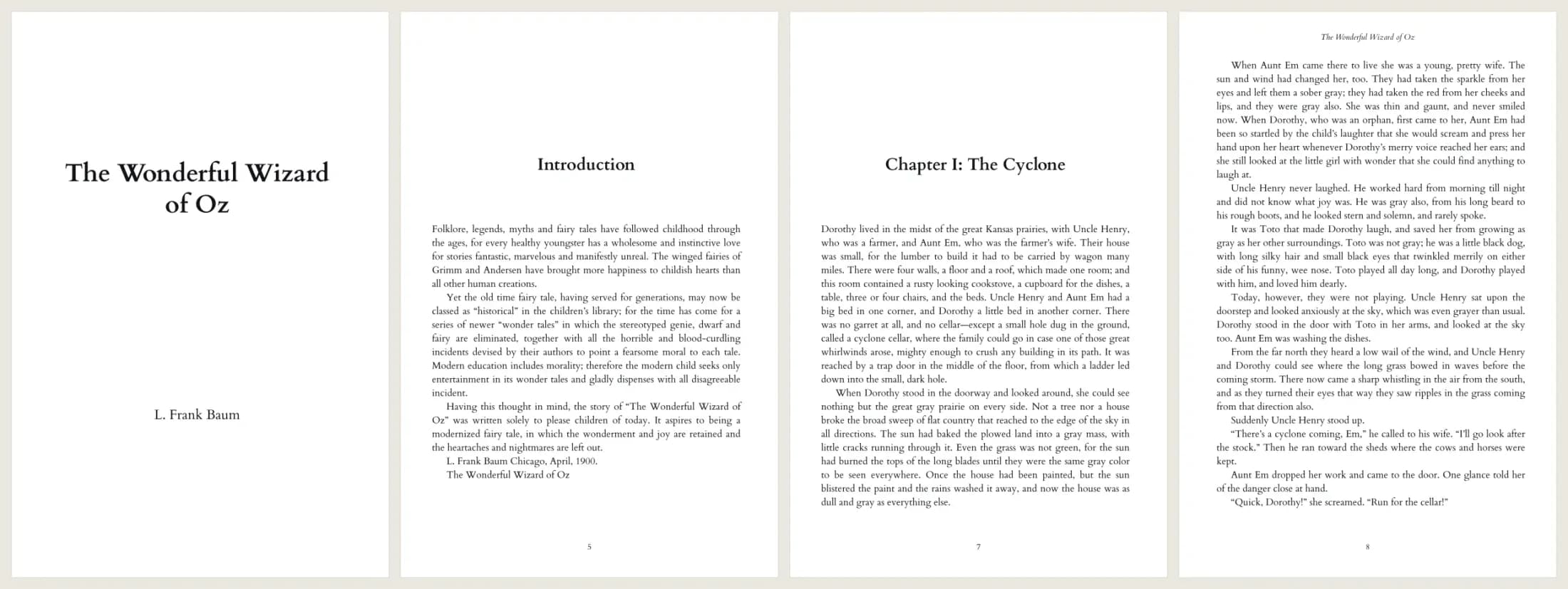
- Test input
- The Wonderful Wizard of Oz, plain text from Project Gutenberg (207 KB)
- Output
- 6 x 9 print interior PDF, Cardo 11 pt
- Pages
- 134
- Words
- 39,297
- Chapters
- 25
- Inside margin
- 0.5 in
- PDF size
- 339 KB
- PDF size
- 339 KB
- Build time
- 801 ms
How we check files: a script compares every size with the KDP formula, and we open each PDF to check fonts, margins and the spine. More on the about page.
Manuscript to EPUB FAQ
Does KDP accept EPUB files?
Yes. KDP accepts EPUB for Kindle ebooks, along with Word files and its own formats.
Is the manuscript to EPUB step free?
The preview and the proof PDF are free each day. The EPUB comes with a paid run, which costs one credit.
Can it convert a PDF to EPUB?
No. A PDF has fixed pages, so the text order is hard to recover. Start from the Word or text file instead.
Will images in my Word file carry over?
Not yet. The tool keeps the text, the chapters, italic and bold. Images need a separate ebook app for now.