Free book formatting software, online
This free book formatting software runs in your browser, so there is nothing to install. Upload a Word, Markdown or text file, pick a trim size and a font, and get a KDP print PDF with a free proof each day. Paid runs add a clean PDF and an EPUB.
By The Spinewrap team (Product and testing). Last updated .
How to format a book for free, step by step
- Pick the trim size and type the title and author.
- Upload the manuscript, or paste the text.
- Choose the font, the size and whether you want a contents page.
- Press Format and look through the page preview.
- Download the proof PDF and check it on screen or in print.
The calculator and the templates are free. Print-ready covers and interiors come with 3 free proof runs a day; see the pricing page for clean files, or read how we check the KDP math.
What this free book formatting software covers
Most authors need three things: the right page size, the right margins and clean chapter pages. This tool does all three. It also adds a title page, a copyright page, running heads and page numbers.
It works best for text books, such as novels, memoirs, essays and short stories. However, it does not place images or tables yet. For a photo book or a cookbook, a full layout app is still the better choice.
Free book formatting software vs paid apps
Desktop apps such as Vellum or Atticus give you many themes and fine control. They also cost money up front, and some run on one system only. In contrast, this tool runs on any device with a browser, and the proof runs are free.
So it suits a first book, a quick test of a trim size, or a short book you want to print fast. Also, you can check the page count early and use it for the cover, which saves a round trip later.
How to prepare the manuscript
Start each chapter with a heading. In Word, use the Heading 1 style. In a text file, write Chapter 1 or a line that starts with a hash sign. Next, mark scene breaks with three stars on their own line.
Then remove any manual page breaks and extra blank lines, because the tool handles spacing. Finally, keep italics and bold as they are, since they carry over to the PDF.
What you get per run
| Run | Preview | EPUB | |
|---|---|---|---|
| Free run | Yes | Proof with a small mark | No |
| Paid run (1 credit) | Yes | Clean print PDF | Yes |
| After the free runs | Yes | No | No |
Free book formatting software tested with a real book
We built this file with the same code the tool on this page uses, from the public domain text of The Wonderful Wizard of Oz. So the image and the numbers below come from that run, not from a mockup.
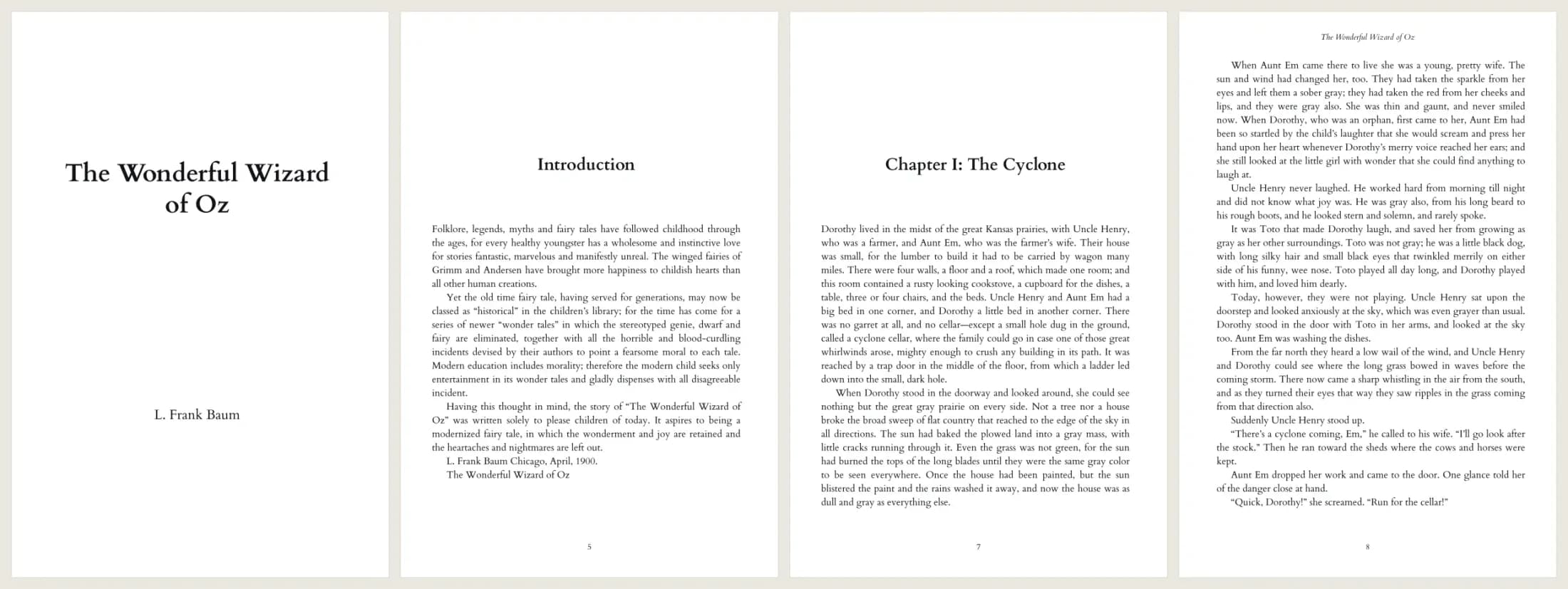
- Test input
- The Wonderful Wizard of Oz, plain text from Project Gutenberg (207 KB)
- Output
- 6 x 9 print interior PDF, Cardo 11 pt
- Pages
- 134
- Words
- 39,297
- Chapters
- 25
- Inside margin
- 0.5 in
- PDF size
- 339 KB
- PDF size
- 339 KB
- Build time
- 801 ms
How we check files: a script compares every size with the KDP formula, and we open each PDF to check fonts, margins and the spine. More on the about page.
Free book formatting software FAQ
Is this book formatting software really free?
Yes. You get free proof runs every day with no account. A clean PDF and an EPUB cost one credit.
Do I need to install anything?
No. It runs in your browser on Windows, Mac, Linux, tablets and phones.
Does it keep my manuscript?
No. The server reads your file in memory, builds the pages and forgets the text. Nothing goes to disk.
Can I format a book for IngramSpark too?
The page sizes and margins work for most print services, but check their own rules first. The tool follows KDP rules.