KDP margins and gutter
KDP margins have two parts. The inside margin, or gutter, grows with page count: 0.375 in up to 150 pages, 0.5 in up to 300, then up to 0.875 in. The outside margin is at least 0.25 in, or 0.375 in with bleed. Below, the formatter sets both for you.
By The Spinewrap team (Product and testing). Last updated .
How to set KDP margins, step by step
- Find your page count, or a close guess.
- Look up the gutter for that count in the table.
- Set the outside, top and bottom margins to at least 0.25 in.
- Add 0.125 in more if your interior uses bleed.
- Or upload the manuscript here and let the tool set them.
The calculator and the templates are free. Print-ready covers and interiors come with 3 free proof runs a day; see the pricing page for clean files, or read how we check the KDP math.
Why KDP margins grow with page count
A thick book does not open flat. So the pages curve into the spine, and text near the inside edge gets hard to read. That is why KDP asks for a wider gutter on longer books.
For example, a 120 page book needs a 0.375 in gutter. A 450 page book, however, needs 0.625 in. If your text crosses that line, the KDP review flags the file, and you have to fix it before the book goes live.
KDP margins we use, and why
KDP margins are the minimum, not the goal. A page set at the minimum looks cramped. So the tool adds 0.125 in to the KDP gutter and uses a 0.6 in outside margin. The top and bottom get 0.75 in, which leaves room for the running head and page number.
Also, the tool checks the page count after the first layout. If the book crosses a gutter step, it lays the book out again with the wider gutter. As a result, the final PDF always meets the rule for its own length.
Bleed and margins
Most text books do not use bleed. In that case, the outside margin must be at least 0.25 in. If your interior has images that run off the page, choose bleed on KDP, and the outside minimum grows to 0.375 in.
In addition, a bleed page is 0.125 in wider and 0.25 in taller than the trim. Therefore, set the page size first, then the margins, and only then place the text.
KDP inside margin (gutter) by page count
| Page count | Inside margin | Outside margin, no bleed | Outside margin, bleed |
|---|---|---|---|
| 24 to 150 | 0.375 in | 0.25 in | 0.375 in |
| 151 to 300 | 0.5 in | 0.25 in | 0.375 in |
| 301 to 500 | 0.625 in | 0.25 in | 0.375 in |
| 501 to 700 | 0.75 in | 0.25 in | 0.375 in |
| 701 to 828 | 0.875 in | 0.25 in | 0.375 in |
KDP margins tested with a real book
We built this file with the same code the tool on this page uses, from the public domain text of The Wonderful Wizard of Oz. So the image and the numbers below come from that run, not from a mockup.
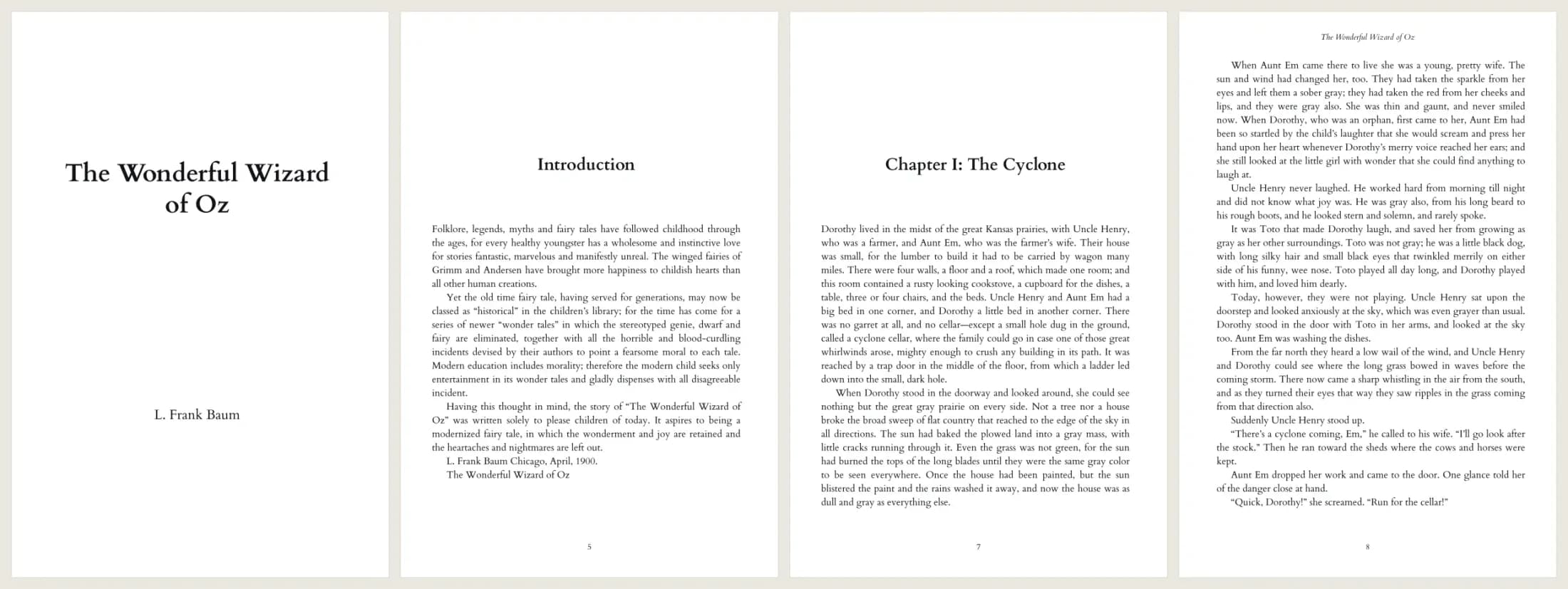
- Test input
- The Wonderful Wizard of Oz, plain text from Project Gutenberg (207 KB)
- Output
- 6 x 9 print interior PDF, Cardo 11 pt
- Pages
- 134
- Words
- 39,297
- Chapters
- 25
- Inside margin
- 0.5 in
- PDF size
- 339 KB
- PDF size
- 339 KB
- Build time
- 801 ms
How we check files: a script compares every size with the KDP formula, and we open each PDF to check fonts, margins and the spine. More on the about page.
KDP margins FAQ
What is the gutter on KDP?
The gutter is the inside margin, next to the spine. KDP sets a minimum that grows with page count.
Are KDP margins the same for every trim size?
Yes. The margin rules depend on page count and bleed, not on trim size.
What happens if my margins are too small?
KDP flags the file in review and asks you to fix it. The book does not go live until you upload a new file.
Do page numbers count as text for margins?
Yes. Page numbers and running heads must also stay inside the margins.