6x9 book cover template
A 6x9 book cover template is 12.25 in plus the spine wide and 9.25 in tall, with bleed. The spine depends on your page count and paper. Enter both below and you get a free 6x9 template as a PDF and a 300 DPI PNG, ready for any design app.
By The Spinewrap team (Product and testing). Last updated .
| Measure | Inches | mm | 300 DPI |
|---|---|---|---|
| Full cover width (with bleed) | 12.813 in | 325.5 mm | 3844 px |
| Full cover height (with bleed) | 9.25 in | 235 mm | 2775 px |
| Spine width | 0.563 in | 14.3 mm | 169 px |
| Front and back cover width | 6 in | 152.4 mm | 1800 px |
| Trim height | 9 in | 228.6 mm | 2700 px |
| Bleed on each outside edge | 0.125 in | 3.2 mm | 38 px |
- Spine text is allowed at this page count.
How to make a 6x9 book cover template, step by step
- Leave the trim size on 6 x 9 in.
- Type the page count of your final interior file.
- Pick the paper, such as white or cream.
- Download the 6x9 template as a PDF and a PNG.
- Next, place it under your artwork and line up the spine.
The calculator and the templates are free. Print-ready covers and interiors come with 3 free proof runs a day; see the pricing page for clean files, or read how we check the KDP math.
Why 6x9 is the default size
Six by nine inches is the most common trim size for US paperbacks. Novels, memoirs and business books all use it. It also gives a good page count for the price, because more words fit on each page than on a 5 x 8.
So most readers know the size by feel. In addition, the KDP print cost stays in the regular range, since 6 x 9 is not a large trim. That makes it a safe choice when you are not sure.
6x9 book cover template sizes by page count
The front and back panels are always 6 in wide, and the cover is always 9.25 in tall with bleed. Only the spine moves. For example, 150 pages on white paper make a 0.338 in spine, while 400 pages make 0.901 in.
Therefore, the full width runs from about 12.3 in for a slim book to about 13.2 in for a thick one. The table below lists common counts, but the tool above gives the exact number for yours.
Tips for a clean 6x9 cover
First, keep the title well inside the dashed safe line. A 6 in front panel looks wide on screen, but the trim can drift a little in print. Next, center spine text on the cyan band, not on the full file.
Also, export at 300 DPI or as a vector PDF. Finally, check the thumbnail at a small size, since most buyers see the front cover the size of a stamp first.
6x9 cover sizes with bleed (white paper)
| Pages | Spine | Full width | Pixels at 300 DPI |
|---|---|---|---|
| 100 | 0.2252 in | 12.475 in | 3743 x 2775 |
| 150 | 0.3378 in | 12.588 in | 3776 x 2775 |
| 200 | 0.4504 in | 12.700 in | 3810 x 2775 |
| 300 | 0.6756 in | 12.926 in | 3878 x 2775 |
| 400 | 0.9008 in | 13.151 in | 3945 x 2775 |
6x9 book cover template tested with a real book
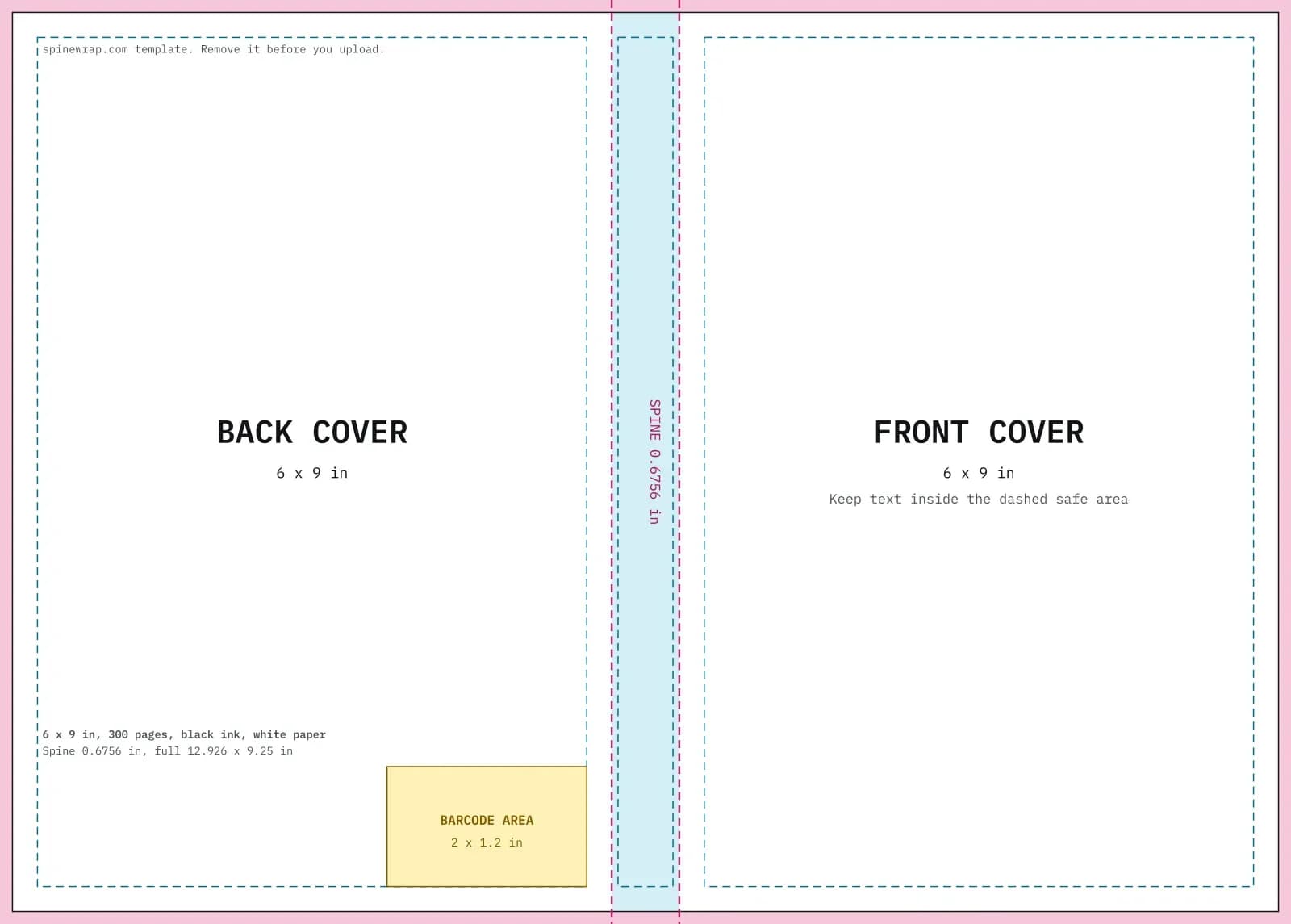
We built this file with the same code the tool on this page uses, from the public domain text of The Wonderful Wizard of Oz. So the image and the numbers below come from that run, not from a mockup.
- Test input
- 6 x 9 in, 300 pages, black ink on white paper
- Output
- Cover template PDF and 300 DPI PNG
- Full cover
- 12.926 x 9.25 in
- Pixels
- 3878 x 2775 px
- Spine
- 0.6756 in
- Spine text
- Allowed
- PDF size
- 13 KB
- Build time
- 175 ms
How we check files: a script compares every size with the KDP formula, and we open each PDF to check fonts, margins and the spine. More on the about page.
6x9 book cover template FAQ
What is the full size of a 6x9 cover?
It is 12.25 in plus the spine wide and 9.25 in tall. The extra 0.25 in in each direction is bleed.
Is the 6x9 template the same for cream paper?
No. Cream paper is thicker, so the spine is wider. A 300 page book gets 0.75 in on cream and 0.676 in on white.
Can I use the same 6x9 template for the ebook?
Use only the front panel. KDP suggests 1600 by 2560 pixels for ebook covers, which is a little taller than 6 x 9.
Is the 6x9 book cover template free?
Yes. Template downloads are free, and you can make as many as you need for each book.