Book cover template for print paperbacks
A print book cover template is a guide file at the exact size of your wrap cover. It shows the back, the spine, the front, the bleed and the safe areas. Pick your trim size, page count and paper below, and you get a free PDF and PNG template in seconds.
By The Spinewrap team (Product and testing). Last updated .
| Measure | Inches | mm | 300 DPI |
|---|---|---|---|
| Full cover width (with bleed) | 10.875 in | 276.2 mm | 3263 px |
| Full cover height (with bleed) | 8.25 in | 209.6 mm | 2475 px |
| Spine width | 0.625 in | 15.9 mm | 188 px |
| Front and back cover width | 5 in | 127 mm | 1500 px |
| Trim height | 8 in | 203.2 mm | 2400 px |
| Bleed on each outside edge | 0.125 in | 3.2 mm | 38 px |
- Spine text is allowed at this page count.
How to get a book cover template, step by step
- Pick a trim size from the list, or type a custom one.
- Enter the page count, so the spine comes out right.
- Choose the paper type, because thick paper makes a wider spine.
- Download the template as a PDF and a PNG.
- Then design your cover on top of the template and remove it before export.
The calculator and the templates are free. Print-ready covers and interiors come with 3 free proof runs a day; see the pricing page for clean files, or read how we check the KDP math.
Why a print book cover template needs your page count
A cover for a paperback wraps around the book. So it needs a spine that matches the thickness of the pages. A generic book cover template from a design site often has a fixed spine, which only fits one page count. That is why so many first covers fail the print check.
Here, the spine comes from your real numbers. For instance, a 5 x 8 novel with 250 pages on cream paper gets a 0.625 in spine. A 120 page workbook on white paper gets 0.27 in. Each template fits only its own book, and that is the point.
Front cover only or full wrap
Ebooks need only a front cover. Print books, however, need the full wrap: back, spine and front in one file. This book cover template covers the print case. If you also sell the ebook, export the front panel alone from the same design.
As a rule, keep the title and author on the front inside the dashed safe line. Then place the blurb on the back, above the barcode box. Finally, add the spine text only if the book has 79 pages or more.
Book cover template sizes we support
The tool covers all 16 standard KDP paperback trims, from 5 x 8 in up to 8.5 x 11 in and A4. It also takes custom sizes from 4 x 6 in to 8.5 x 11.69 in. Other print services use similar math, but their paper factors differ, so check their own guide first.
Also, every template prints its sizes in a small legend. As a result, you can see at a glance which book a file belongs to, even months later.
Common book cover template sizes (200 pages, white paper)
| Trim size | Spine | Full cover with bleed |
|---|---|---|
| 5 x 8 in | 0.4504 in | 10.700 x 8.25 in |
| 5.5 x 8.5 in | 0.4504 in | 11.700 x 8.75 in |
| 6 x 9 in | 0.4504 in | 12.700 x 9.25 in |
| 8.5 x 11 in | 0.4504 in | 17.700 x 11.25 in |
Book cover template tested with a real book
We built this file with the same code the tool on this page uses, from the public domain text of The Wonderful Wizard of Oz. So the image and the numbers below come from that run, not from a mockup.
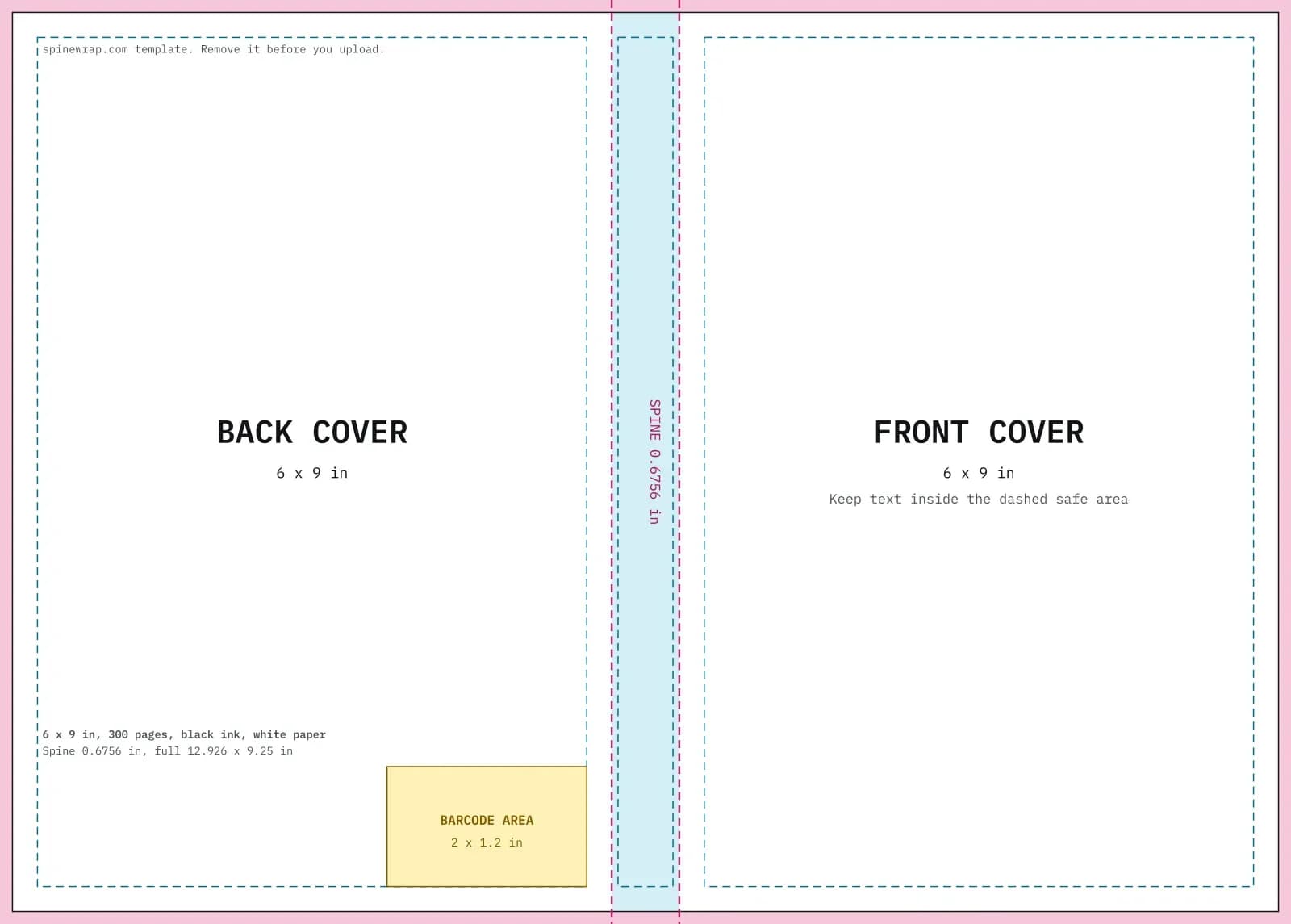
- Test input
- 6 x 9 in, 300 pages, black ink on white paper
- Output
- Cover template PDF and 300 DPI PNG
- Full cover
- 12.926 x 9.25 in
- Pixels
- 3878 x 2775 px
- Spine
- 0.6756 in
- Spine text
- Allowed
- PDF size
- 13 KB
- Build time
- 175 ms
How we check files: a script compares every size with the KDP formula, and we open each PDF to check fonts, margins and the spine. More on the about page.
Book cover template FAQ
What size should a book cover template be?
It should be the trim width times two, plus the spine, plus 0.25 in of bleed, by the trim height plus 0.25 in. The tool does this math for you.
Can I use this book cover template outside KDP?
You can, but check the paper thickness of your printer first. The trim and bleed rules are common, while spine factors vary by printer.
What resolution does the PNG use?
It uses 300 DPI at the full print size, which is what KDP expects for cover art.
Do I need design software?
No. You can also use the print-ready cover tab, which places your title, author, blurb and image on the template for you.